P3D Configuration
After installation and activation we will see the following initial screen.
Initial screen
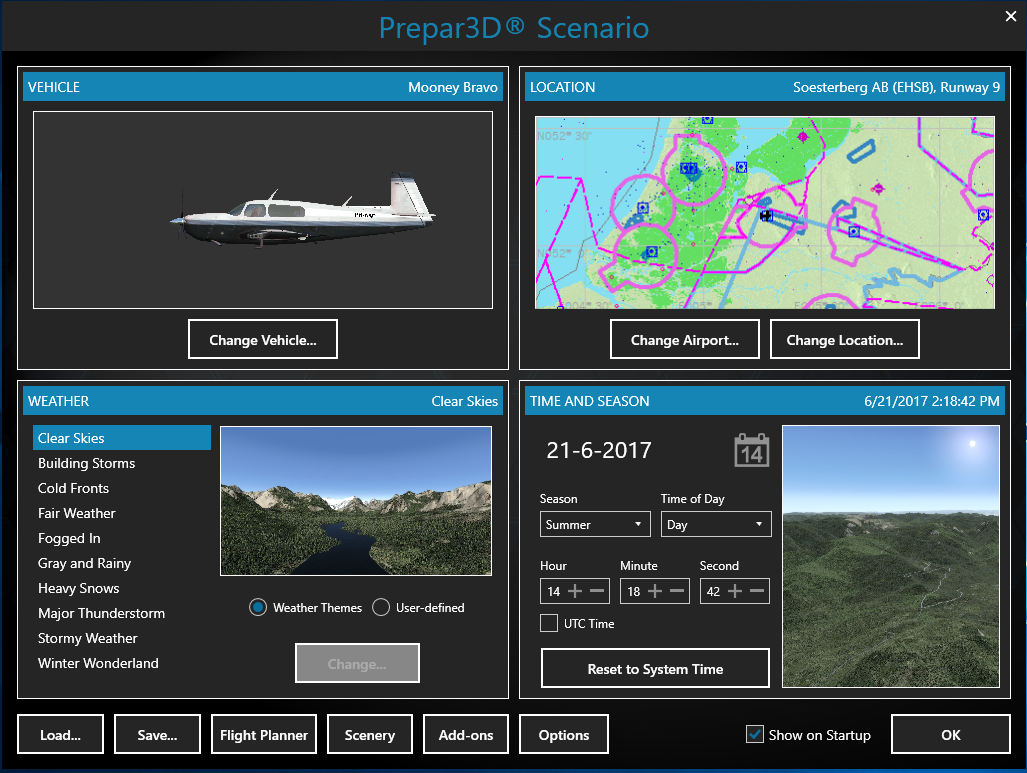
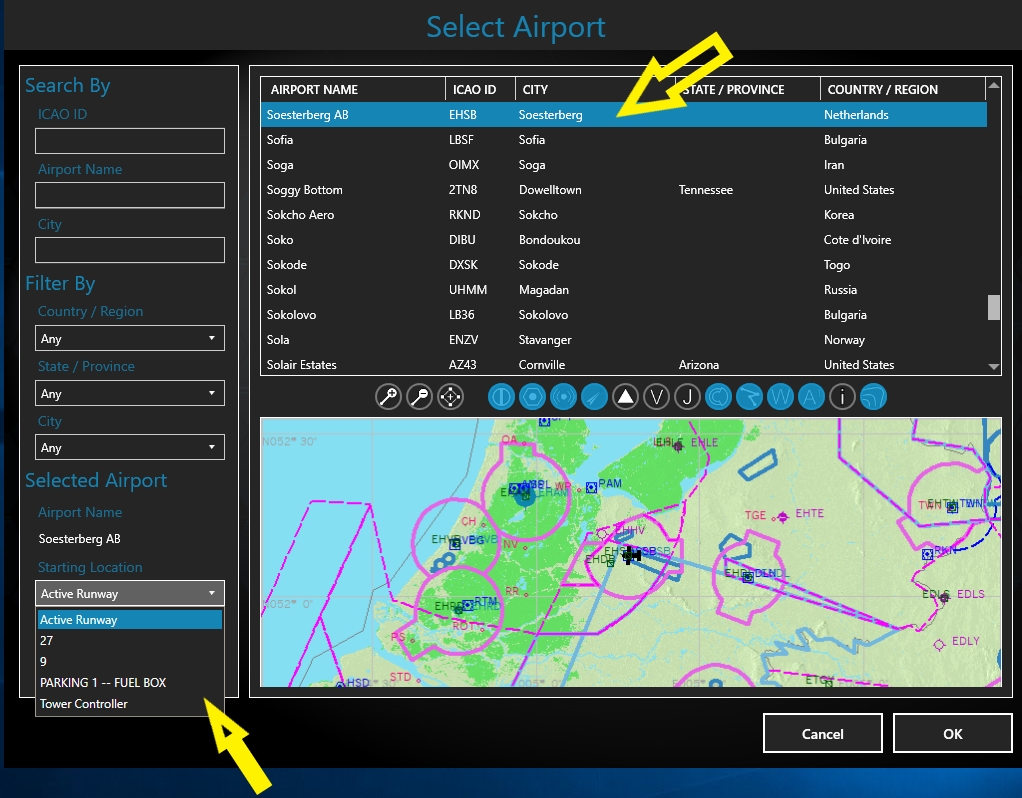
We can choose our favorite aircraft with Change Vehicle and Change Airport of departure. Here we can choose between Active Runway or another specific runway or parking area.
And we can set WEATHER and TIME of day AND SEASON of our choice.
We will discuss the OPTIONS menu at a later moment. For now here are the initial recommended settings.
Options menu
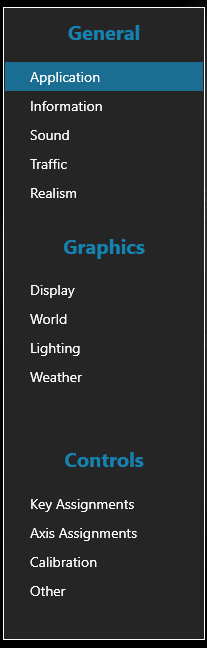
Under General > Application we want to uncheck [ ] pause on task switch
Realism we set to Easy. This also helps when we have no rudder axis on our controls, because we get automatic rudder.
Under Controls > Calibration we find our joystick controller. We leave the settings for now.
Maybe we want to check [ ] Use Simple Control[ OK ] We confirm our choices
If you want to install add-on software, like LittleNavmap or NL2000v5 scenery, now would be a good time....
Let's embark on our first flight!
| <- back | next -> | |
|---|---|---|